

- License: Apache-2.0
- Language: Go
Installation
I am testing on a Mac (Apple Silicon)
tools.yaml
http://127.0.0.1:5000/mcp by default. The endpoint isn’t shown in the startup logs—you’ll need to check the documentation for that.
Transports and GUI
MCP Toolbox supports multiple transport mechanisms:- Streamable HTTP (default): Runs on
http://127.0.0.1:5000/mcp - stdio: Use
--stdioflag for standard input/output communication
--ui flag to access a web-based console for viewing and testing tools:
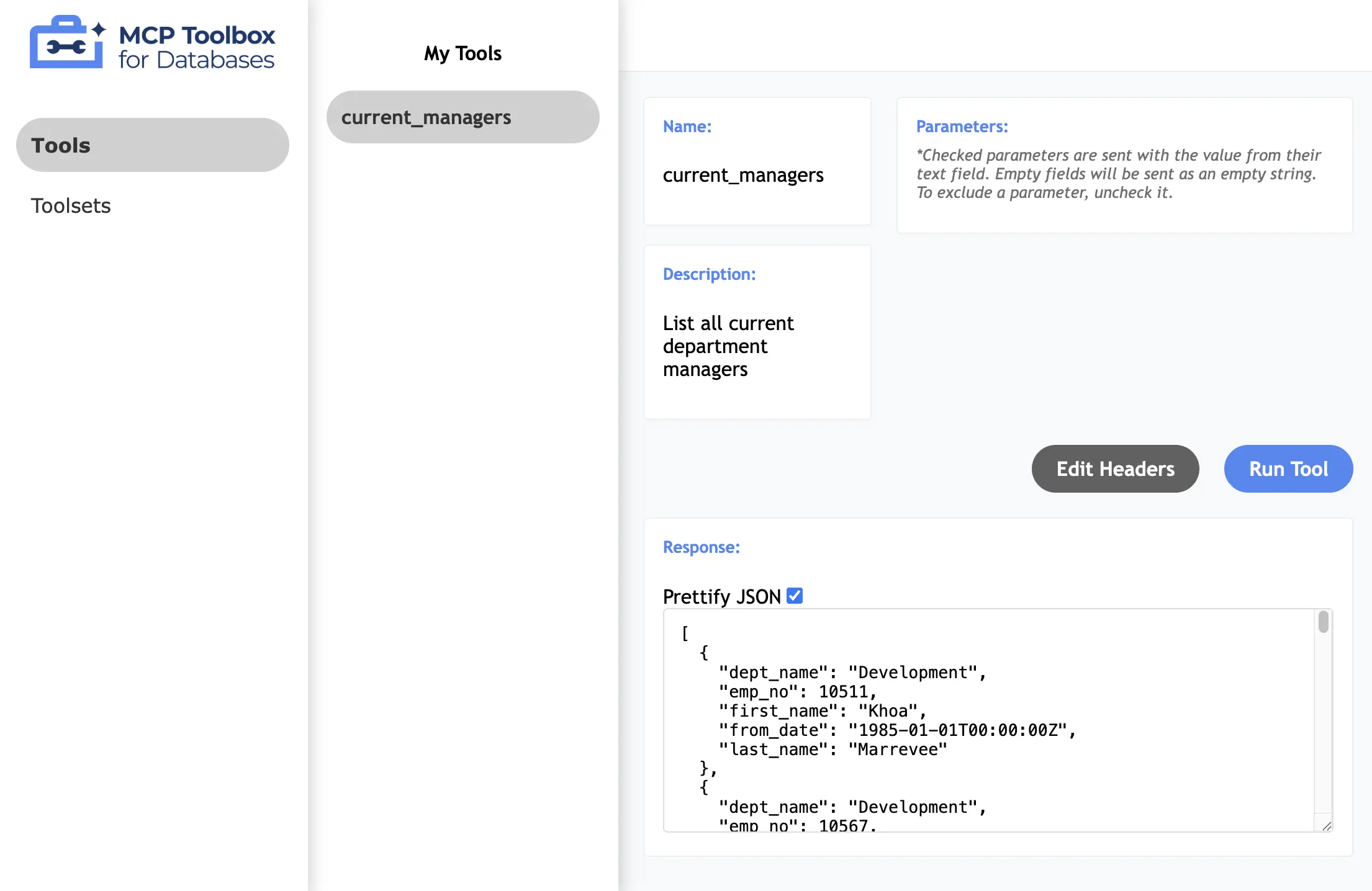
Tools
MCP Toolbox distinguishes between custom tools and prebuilt tools: Custom Tools are user-defined operations configured in the YAML file. These include:- Database tools (e.g.,
postgres-sql) for executing SQL queries with parameterized statements - HTTP tools for calling external APIs with configurable methods (GET, POST, PUT, DELETE), headers, query parameters, and request bodies
source (which connection to use), description (guidance for AI agents), and operation details with optional typed parameters (string, integer, float, boolean, arrays, maps).
Toolsets organize related tools into logical collections that can be loaded by name through client SDKs.
Prebuilt Tools are ready-to-use tool collections for 40+ database systems and services, including open source databases (PostgreSQL, MySQL, MongoDB, Neo4j), cloud databases (BigQuery, Spanner, AlloyDB), analytics platforms (Looker, Elasticsearch), and specialized services.
Token Efficiency
Using Prebuilt Tools
To get started quickly, you might be tempted to use the prebuilt PostgreSQL tools. This requires setting environment variables and launching with the--prebuilt postgres flag:
Picking Specific Tools
A wiser choice is to specify exact tools via the configuration file. For example, you can specify just thepostgres-execute-sql tool:
The built-in
postgres-execute-sql tool does not provide safety guardrails such as read-only enforcement, row limits, connection timeouts, or query timeouts. In contrast, spanner-execute-sql does support a readOnly parameter.Auth & Security
MCP Toolbox has built-in authentication and authorization through AuthServices. Two main security mechanisms:OIDC Token Authentication
TheauthRequired field enforces OIDC token validation before tool execution:
authRequired, the server validates OIDC tokens against the configured authentication service. Invalid or missing tokens get rejected.
Row-Level Security (RLS)
MCP Toolbox can extract user information from OIDC token claims to enforce row-level security. TheauthServices field auto-populates parameters from the authenticated user’s token:
user_id parameter is automatically populated from the authenticated user’s token, not from user input.
Currently, only Google Sign-In (OAuth 2.0 / OIDC) is supported. Other OIDC providers such as Keycloak and Microsoft Entra ID are pending discussion.
Telemetry
MCP Toolbox supports structured JSON logging to stdout/stderr (for streaming to SIEM systems like Splunk or Elastic) and exports metrics and traces to any OpenTelemetry-compatible backend. As a Google product, it has built-in integration with Google Cloud.Summary
MCP Toolbox for Databases isn’t really a PostgreSQL MCP server. It’s not even just a general-purpose database MCP server as its name suggests. With HTTP tools baked in, you can connect to basically anything with an HTTP endpoint. This “cast a wide net” approach seems to be working—it has the most GitHub stars among all database-related MCP servers.The Good
-
YAML-based configuration lets you cherry-pick tools for token efficiency. Instead of loading all 28 prebuilt PostgreSQL tools (19k tokens), specify just
postgres-execute-sqlfor 579 tokens—a 30x reduction. - Built-in auth (OIDC with row-level security) and telemetry (OpenTelemetry) are solid production features most database MCP servers lack. Auto-populating query parameters from authenticated tokens is useful for multi-tenant scenarios.
- Supports 40+ data sources—PostgreSQL, BigQuery, MongoDB, and anything with an HTTP endpoint. If you need that versatility, nothing else comes close.
The Bad
-
The
postgres-execute-sqltool lacks common guardrails like read-only mode, row limits, and timeouts. Compare that tospanner-execute-sqlwhich does have areadOnlyparameter—you can see where Google’s priorities lie. - Everything tilts toward the Google ecosystem. Auth only works with Google Sign-In (Keycloak and Microsoft Entra ID are still “pending discussion”). Telemetry has native Google Cloud integration. Fine if you’re in GCP, limiting otherwise.
- The documentation is struggling. Search is broken, and the content feels out of control as they add more sources.
Should You Use It?
If you’re in the Google ecosystem and need to connect AI agents to multiple data sources, MCP Toolbox is your best bet. The configuration flexibility and production features are real advantages. But if you need a dedicated PostgreSQL server with proper safety guardrails, auth providers beyond Google, or documentation that doesn’t make youPostgres MCP Server Series:
- MCP Toolbox for Databases (this article) - Google’s multi-database MCP server with 40+ data source support
- Supabase MCP Server - Hosted MCP server for Supabase projects
- DBHub - Zero-dependency, token efficient MCP server for PostgreSQL, MySQL, SQL Server, MariaDB, and SQLite
- The State of Postgres MCP Servers - Landscape overview and future outlook