

- License: MIT
- Language: TypeScript
Design Objectives
The first question we ask ourselves is what’s the primary use case for a database MCP server today, and our answer is local development:- Local development is where most developers spend their time coding and testing against databases (and likely with AI coding agents nowadays).
- Local development runs in a trusted environment, thus lethal trifecta attack is not a concern.
- Local development is forgiving. If coding agent makes a mistake and nukes the database, it’s not the end of the world.
- Minimal setup: Developers want to get started quickly without installing complex software stacks or dependencies.
- Token efficiency: Minimize the token overhead of MCP tools to maximize the context window for actual coding and queries.
- Auth is not required: Since local development is a trusted environment, we can skip complex authentication mechanisms.
Installation
Testing on Mac (Apple Silicon), same as the other reviews in this series.
Tools
DBHub provides two built-in tools:
Beyond built-in tools, you can define custom tools—reusable, parameterized SQL operations with type validation. Useful for giving AI models well-defined operations instead of open-ended SQL access.
Token Efficiency
Token efficiency is DBHub’s key design objective. This matters for two reasons:- Longer sessions without compaction: Every token spent on tool definitions is a token unavailable for your actual work. Fewer tool tokens means more room for code, queries, and conversation history before hitting context limits.
- Lower cost: Most AI providers charge per token. Tool definitions are a tax on every session—they’re sent with each request regardless of whether you use them.
Minimized Tool Load
DBHub loads only 2 built-in tools with 1.4k tokens by default:execute_sql:
Minimal Config refers to exposing only the
execute_sql tool for fair comparison. Supabase MCP requires loading the entire database feature group.Progressive Disclosure
The built-insearch_objects tool supports progressive disclosure through detail_level:
names: Minimal output (just names and schemas)summary: Adds metadata (row counts, column counts)full: Complete structure with all columns and indexes
Guardrails & Security
DBHub supports advanced settings via TOML configuration:-
Read-only mode: Keyword filtering to restrict SQL execution. This is a limitation—Supabase MCP guarantees read-only via a dedicated
supabase_read_only_user, while DBHub requires user discipline to supply a read-only database user for true guarantee. -
Row limiting: Prevent accidental large data retrieval with
max_rows. If your query already has aLIMITclause, DBHub uses the smaller value. -
Connection and query timeouts: Prevent runaway queries and connection hangs with
connection_timeoutandquery_timeoutsettings. -
SSH tunneling: Connect through bastion hosts for databases not exposed to the public internet. Supports ProxyJump for multi-hop connections and automatic
~/.ssh/configparsing.
Workbench
DBHub includes a built-in web interface with two main features:-
Tool Execution: Run database tools directly from your browser—useful for testing and debugging without an MCP client. Custom tools render as constrained forms with validated inputs.
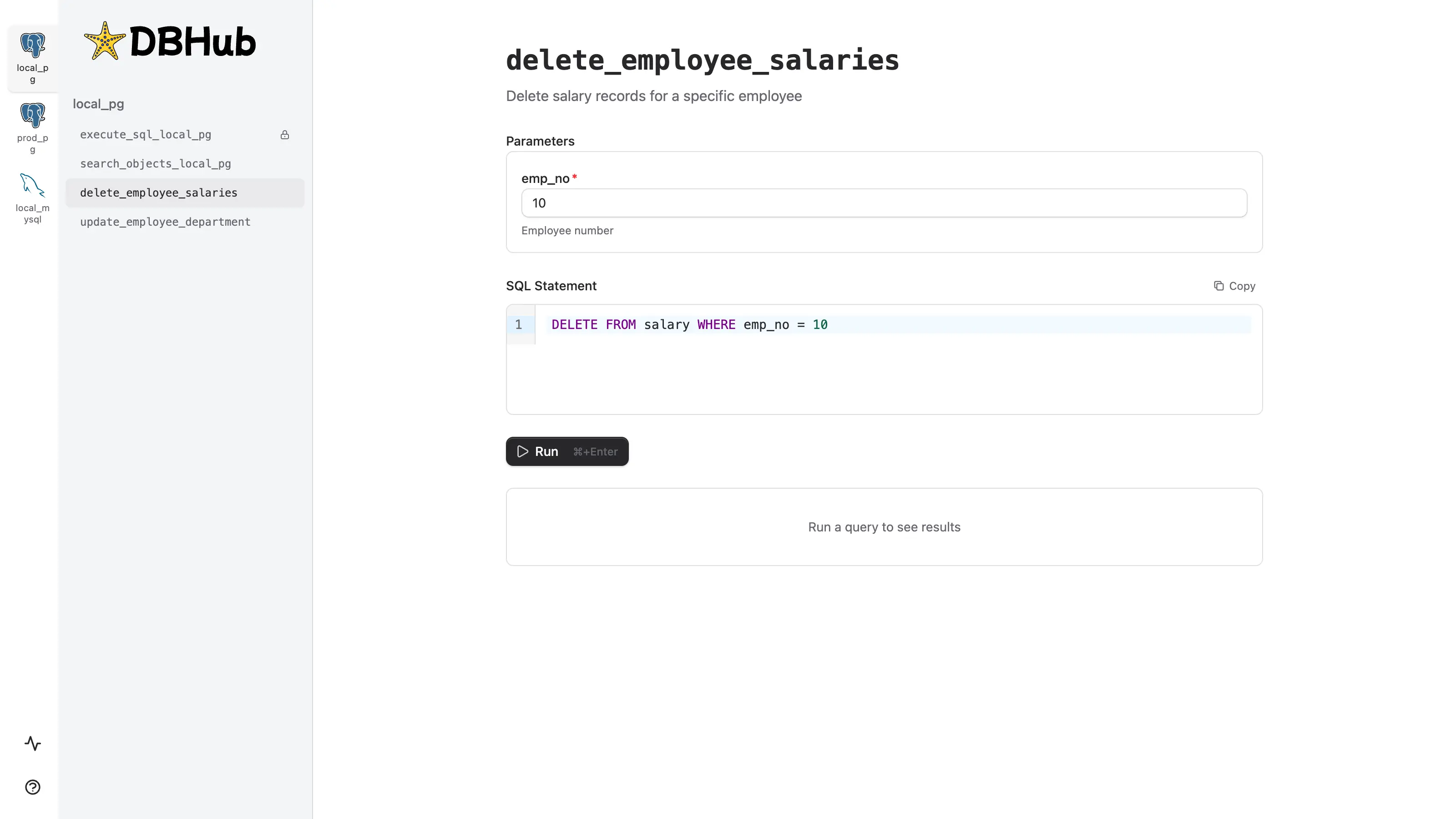
-
Request Traces: Inspect MCP requests to understand how AI agents interact with DBHub.

Summary
DBHub is a zero-dependency, token efficient MCP server for relational databases with guardrails.The Good
-
Minimal design: Zero dependency with just 2 general tools (
execute_sql,search_objects) using 1.4k tokens—13-14x fewer than alternatives. Tools can also be customized and cherry-picked via configuration. - Vendor neutral: Unlike Supabase MCP (Supabase-only) or MCP Toolbox (tilted toward Google Cloud), DBHub works with any deployment—cloud, on-premise, or local.
- Multi-database with consistent guardrails: Not limited to a single Postgres database, but we don’t expand beyond the database boundary either. This focus lets us provide consistent guardrails across all supported databases: read-only mode, row limits, connection/query timeouts.
The Bad
- No platform integration: MCP Toolbox integrates with Gemini and Google Cloud services. Supabase MCP connects to its hosted platform with OAuth. DBHub is standalone.
- No built-in authentication: Unlike MCP Toolbox’s Google auth support or Supabase’s OAuth, DBHub has no auth layer. You’ll need a reverse proxy or network security for multi-tenant scenarios.
Should You Use It?
If you’re an AI-assisted developer working with local databases, DBHub is built for you. It’s optimized for the local development workflow—zero setup friction, minimal token overhead, and no authentication complexity. Works with PostgreSQL, MySQL, SQL Server, MariaDB, and SQLite out of the box. If you need a vendor-neutral solution, DBHub is the only option that isn’t tied to a specific cloud platform. Unlike Supabase MCP (Supabase-only) or MCP Toolbox (tilted toward Google Cloud), DBHub works anywhere your database runs. If you need integrated platform experience such as built-in authentication, look at Supabase MCP (for Supabase projects with OAuth) or MCP Toolbox (for Gemini and Google Cloud services).Postgres MCP Server Series:
- MCP Toolbox for Databases - Google’s multi-database MCP server with 40+ data source support
- Supabase MCP Server - Hosted MCP server for Supabase projects
- DBHub (this article) - Zero-dependency, token efficient MCP server for PostgreSQL, MySQL, SQL Server, MariaDB, and SQLite
- The State of Postgres MCP Servers - Landscape overview and future outlook