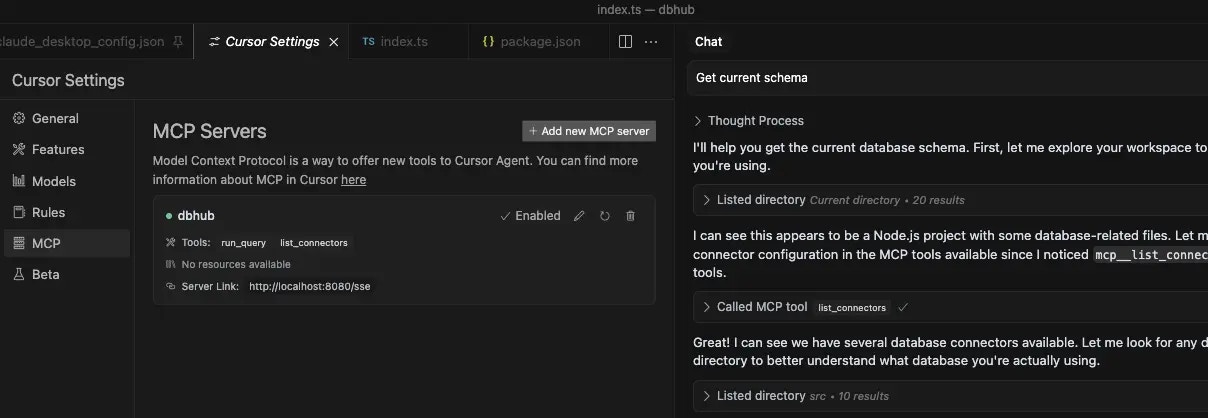
Cursor with DBHub

One-Click Install

Click the link below to install DBHub in Cursor: Install DBHub MCP server in Cursor After installing, edit the DSN in your Cursor MCP settings to point to your database.

Manual Configuration

Edit ~/.cursor/mcp.json:
~/.cursor/mcp.json
{
  "mcpServers": {
    "dbhub": {
      "command": "npx",
      "args": [
        "@bytebase/dbhub",
        "--transport",
        "stdio",
        "--dsn",
        "postgres://user:password@localhost:5432/dbname"
      ]
    }
  }
}

Project-Specific Configuration

For project-specific database connections, create .cursor/mcp.json in your project root:
.cursor/mcp.json
{
  "mcpServers": {
    "project-db": {
      "command": "npx",
      "args": [
        "@bytebase/dbhub",
        "--transport",
        "stdio",
        "--config",
        "${workspaceFolder}/dbhub.toml"
      ]
    }
  }
}

References